 Â
Update: iSight Disabler now on GitHub
iSight Disabler is now hosted on GitHub!
The repository is now available at: https://github.com/rthomson/isight-disabler.
Using GitHub should make it easier to accept and merge contributions. Do you have a working fix for the latest version of macOS that you want to share back to the community? Send me a pull request and we’ll get that published so everyone can benefit.
This page will remain up with existing download links so that techslaves.org may bask in the glorious SEO for a while longer.
Update: macOS 10.11 “El Capitan”
I’ve received multiple reports that iSight Disabler 5.0 no longer works as expected on macOS 10.11 “El Capitan”. It appears that Apple has made some changes to the security model in 10.11 that prevent iSight Disabler from making permission changes to the iSight drivers located in the /System directory. Pull requests are welcome (see GitHub news above).
Downloads
iSight Disabler Version 5.0 – Support for Mavericks
iSight Disabler Version 4.0Â -Â Support for Lion
iSight Disabler Version 3.5Â – Support for Snow Leopard
Changelog
March 20, 2014: iSight Disabler 5 released! Now supports Mavericks.
July 24, 2011: iSight Disabler 4 released! Now supports Lion.
Description
techslaves.org’s iSight Disabler is an AppleScript provides a graphical interface to disabling (and re-enabling) the iSight/FaceTime (HD) camera found in (many) Apple computer models. iSight Disabler accomplishes this by modifying permissions of the driver files on disk. This technique (probably) prevents (most) applications from using the camera.
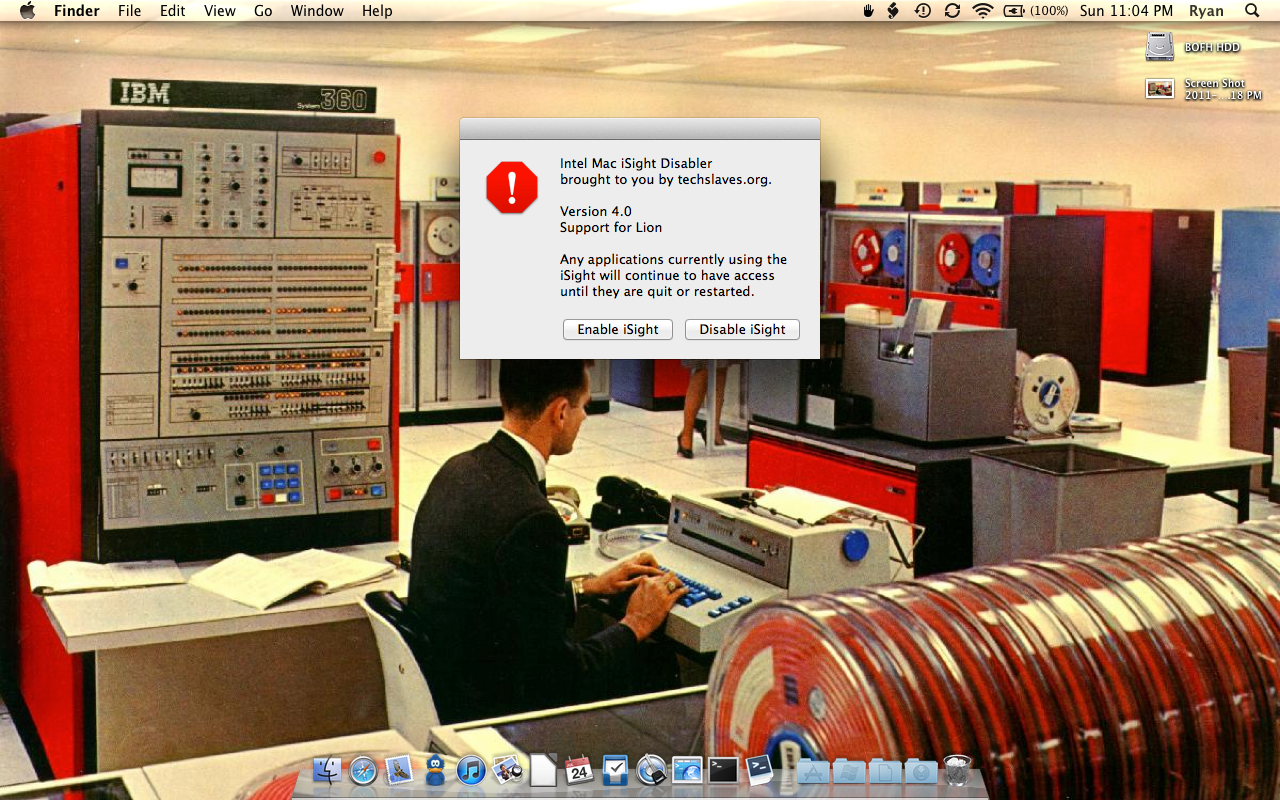
The “Disable iSight” button, removes all read access to the driver files (chmod a-r). The “Enable iSight” button, restore read access to the driver files (chmod a+r).
To install the iSight Disabler AppleScript, download a copy to /Users/<USERNAME>/Library/Scripts/. Use the AppleScript Utility to enable the script menu for easy access to installed AppleScripts. Newer versions of macOS may not show the Library folder from Finder. Use the chflags nohidden ~/Library command from Terminal.app to “unhide” your Library folder in Finder.
I am want to use my Logitech C290 webcam with an iBook (black) with OS 10.4 Tiger.
iSight Disabler did work with this webcam in the past but does not seem to now.
All this to say that I am very interested in accessing the webcam because I use it with FrameThief, stop-motion animation software, when working with children. Development on this software has been discontinued but it is the perfect tool for young children because of its simplicity and completeness.
I have versions iSight Disabler 3.5 and 4. Was there a version 3 and, if so, would it be more appropriate for Tiger.
Any helpt to get my Mac, FrameThie and the Logitech webcam up and working together would be greatly appreciated.
Paul
I did nothing special to get it working. I am working with a user account that has “Admin” privileges, and when the script is started I am asked to enter my user’s password (NOT the root password). All of this on a fresh clean installation of El Capitan. Might be that if your user does not have Admin Privileges enabled in system preferences, the above doesn’t work…
I have submitted a revised script that disables the camera via policies in 10.11+. In any os less than 10.11 it uses the method from the version 5.0 script.
If anyone wants to continue to use the method in the 5.0 script, do the following.
Disable SIP as @J posted below.
Add the paths in the 5.0 script to the end of the file: /System/Library/Sandbox/Compatibility.bundle/Contents/Resources/paths
Re-enable SIP as @J posted below.
You should now be able to disable/enable isight without modifying SIP
*As long as Apple doesn’t modify the ‘paths’ file listed above when they issue patches.
Using the native OS functionality to disable the cameras via policy is probably easier, but to each their own;).
Source: http://www.idelta.info/archives/sip-rootless-internal-in-el-capitan/
Thank you Paul but I specifically posted on SIP as a workaround for the actual product/tool/script we are all loyal users of/here for: isightdisabler.
But thanks for posting something which essentially proclaims that the creators tool is now dead and no longer relevant, as “you can now use a profile”, -which you’ve taken the liberty to mention as a solution to isightdisabler not working on El Capitan…
-?-
J,
You seem to have taken my post personally. I didn’t realize you had so much personal investment in this or I would have explained fully as to not hurt your feelings. I don’t care if people disable their camera and if they do, what method they use. I simply shared some knowledge to make it happen more easily should people want to use it.
Never the less, allow me to explain fully so you can rest at ease.
As most know iSight disabler is a script and it’s function is to disable the camera. The way it does so is to change filesystem permissions, but El Capitan won’t let them be changed unless SIP is disabled. Problems with that noted by me in my last post. Being a script, and that there is more than one way to skin a cat, I posted another method that can be supplemented into the script. It would allow users to to use the script to disable/enable the camera while not having to disable/enable SIP. Or they can just do it without the script by double clicking and taking a couple extra steps to remove it as outlined previously.
The top of this page states “patches welcome”. I’ve provided the bulk of the work for a ‘patch’. All they have to do is change out the actions in the script with “do shell script” command to ‘echo’ the xml to a temporary file, then load or unload the profile based on button pushed using another “do shell script” command that calls the command line tool “profiles”.
@J & @Paul:
Thanks for sharing the information about SIP and possible workarounds/solutions to disabling the iSight camera on 10.11 (and newer).
I’m not offended that alternatives to iSightDisabler are being provided in the comments. Heck, I approved the comments in the first place. It’s nice to hear I have “loyal” users but I think the right thing to do share the love. I’ll review the documentation surrounding configuration profiles to disable the iSight and if it’s something that I can wrap up into an update to iSightDisabler, I’ll do that and provide credits in the script source to those who have shared their work with me.
This started out as a simple hack and it grew into something people actually depend on. I’m flattered. I don’t do it for money (there will never be ads on techslaves.org) so I’m happy when others can get involved and help develop the tool further and keep it relevant.
Hi Everybody
Here my fix (i called it Version 6.0), working fine for me on MacOS 10.11 El Capitan:
Works fine for me without disabling SIP.
—————————————————————————————————
— Intel Mac iSight Disabler
— Tested on OS X 10.11
— Tested on 2015 15″ MBP
— Version 6.0 w/ El Capitan
— Credit to fdoc for Snow Leopard fix in 3.5
— Credit to Mike Mc for Mavericks fix in 5.0 (http://techslaves.org/isight-disabler/, Comment 90)
— Credit to Vento for El Capitan fix in 6.0
— rt@techslaves.org
display dialog “Intel Mac iSight Disabler
brought to you by techslaves.org.
Version 6.0
Support for El Capitan
Any applications currently using the iSight will continue to have access until they are quit or restarted.” buttons {“Enable iSight”, “Disable iSight”} with icon stop
set userChoice to button returned of result
set allDrivers to “”
tell application “Finder”
set driver to “/System/Library/PrivateFrameworks/CoreMediaIOServicesPrivate.framework/Versions/A/Resources/VDC.plugin/Contents/MacOS/VDC”
if exists driver as POSIX file then
set allDrivers to allDrivers & driver & ” ”
end if
set driver to “/System/Library/PrivateFrameworks/CoreMediaIOServices.framework/Versions/A/Resources/VDC.plugin/Contents/MacOS/VDC”
if exists driver as POSIX file then
set allDrivers to allDrivers & driver & ” ”
end if
set driver to “/Library/CoreMediaIO/Plug-Ins/DAL/AppleCamera.plugin/Contents/MacOS/AppleCamera”
if exists driver as POSIX file then
set allDrivers to allDrivers & driver
end if
end tell
if userChoice = “Enable iSight” then
do shell script “/bin/chmod a+r ” & allDrivers with administrator privileges
else if userChoice = “Disable iSight” then
do shell script “/bin/chmod a-r ” & allDrivers with administrator privileges
end if
————————————————————————————
@VENTO
Switching to root I wasn’t able to find the first two files listed in your script. The third existed however removing read access via your command didn’t do anything. Removing all access via “chmod 000” also didn’t do anything to disable the camera. What did you do to confirm that was working?
The problem with disabling SIP, using isightdisabler, then re-enabling SIP is you will have to do that every time an OS patch re-enables the camera. I went through this pain with every beta patch that came out.
You can disable the camera natively in the OS now using configuration profiles. This way the configuration sticks when patches are applied and you can leave SIP enabled. I created one using OS X server’s profile manager. Using profile manager I created a Computer payload of the type “Restrictions” where the only option I changed was I unchecked the box beside “Allow Camera Access”. I downloaded the configuration profile which is an XML formatted file. It configured a lot more than the camera. I removed everything except the camera configuration section and saved it to a new profile file. This has been tested to work using the apps FaceTime, Quicktime, and Skype. If anyone has an app that can get around it please speak up!
For anyone who wants to use the file to turn the camera off and on at will:
-open Terminal and type “nano Desktop/disableCamera.mobileconfig”.
-Copy at the bottom of this post between the lines “——————-” and paste into your terminal window.
– Press CTRL-X
– Press Y
– Press Return(ENTER)
The file “disableCamera.mobileconfig” should now be on your desktop
– Double click on it and install.OSX requires admin credentials to install Configuration Profiles.
You will now have it under a new “Profiles” section of “System Preferences”. To enable the camera again, open System Preferences -> Profiles, select the profile “Disable Camera” and click the minus “-” at the bottom to remove it. If you have closed your System Preferences window since you added it you will have to authenticate again to remove it.
PayloadIdentifier
com.apple.mdm.mba.263c7450-4ae1-0133-5b68-68a86d032b5e.alacarte
PayloadRemovalDisallowed
PayloadScope
System
PayloadType
Configuration
PayloadUUID
263c7450-4ae1-0133-5b68-68a86d032b5e
PayloadOrganization
Paul
PayloadVersion
1
PayloadDisplayName
Disable Camera
PayloadDescription
This profile will enable an OS X Restrictions payload where the only option configured to remove permissions is “Allow Camera Use” is unchecked
PayloadContent
PayloadType
com.apple.coremediaio.support
PayloadVersion
1
PayloadIdentifier
com.apple.mdm.mba.263c7450-4ae1-0133-5b68-68a86d032b5e.alacarte.macosxrestrictions.26341050-4ae1-0133-5b67-68a86d032b5e.support
PayloadEnabled
PayloadUUID
82807313-a6ee-8f6a-34a3-060c3fc6ec24
PayloadDisplayName
Disable Camera
Device Access Allowed
The website removed all the xml formatting and the “—————” lines in my last comment.. not sure how to paste it as a comment so it doesn’t lose formatting…
Try 2: Put the code below into the file as instructed above.
[code language=”xml” wraplines=”false” collapse=”false”]
PayloadIdentifier
com.apple.mdm.mba.263c7450-4ae1-0133-5b68-68a86d032b5e.alacarte
PayloadRemovalDisallowed
PayloadScope
System
PayloadType
Configuration
PayloadUUID
263c7450-4ae1-0133-5b68-68a86d032b5e
PayloadOrganization
Paul
PayloadVersion
1
PayloadDisplayName
Disable Camera
PayloadDescription
This profile will enable an OS X Restrictions payload where the only option configured to remove permissions is “Allow Camera Use” is unchecked
PayloadContent
PayloadType
com.apple.coremediaio.support
PayloadVersion
1
PayloadIdentifier
com.apple.mdm.mba.263c7450-4ae1-0133-5b68-68a86d032b5e.alacarte.macosxrestrictions.26341050-4ae1-0133-5b67-68a86d032b5e.support
PayloadEnabled
PayloadUUID
82807313-a6ee-8f6a-34a3-060c3fc6ec24
PayloadDisplayName
Disable Camera
Device Access Allowed
[code]
[code language=”xml”]
PayloadIdentifier
com.apple.mdm.mba.263c7450-4ae1-0133-5b68-68a86d032b5e.alacarte
PayloadRemovalDisallowed
PayloadScope
System
PayloadType
Configuration
PayloadUUID
263c7450-4ae1-0133-5b68-68a86d032b5e
PayloadOrganization
Paul
PayloadVersion
1
PayloadDisplayName
Disable Camera
PayloadDescription
This profile will enable an OS X Restrictions payload where the only option configured to remove permissions is “Allow Camera Use” is unchecked
PayloadContent
PayloadType
com.apple.coremediaio.support
PayloadVersion
1
PayloadIdentifier
com.apple.mdm.mba.263c7450-4ae1-0133-5b68-68a86d032b5e.alacarte.macosxrestrictions.26341050-4ae1-0133-5b67-68a86d032b5e.support
PayloadEnabled
PayloadUUID
82807313-a6ee-8f6a-34a3-060c3fc6ec24
PayloadDisplayName
Disable Camera
Device Access Allowed
[/code]
Hi. Can you send me on notes for the notes?
I copy and pasted on the one you out here and didn’t work.
Please email me at isightdisablerhelp@gmail.com
Thank you in advance Paul
OK. Here is a link to the xml file on my dropbox, or use your own apple MDM management tool to create your own.
https://www.dropbox.com/s/ziphvxrvtb9eeis/disableCamera.mobileconfig?dl=0
thanks john, your dropbox link works perfectly.
Hi All,
Here’s the FIX for El Capitan.
The new OS is now incorporating what they are calling SIP (Nope, not Session Initiation Protocol) but “System Integrity Protectionâ€. -SIP essentially disables user access to deep-level system files in an attempt to combat bad stuff such as malware…
I’m leaving instructions below on how to disable SIP but am warning you now that this is something not to mess with unless you are an experienced user(!) SIP is an important and fundamental part of Mac OS from here on out and should not be left off after this change.
To disable SIP do the following:
-Reboot your Mac, then hold Command and R until the Apple logo shows.
-Click Utilities, then select Terminal.
-In Terminal type: “csrutil disable” (no quotes) and press Enter.
-Reboot your Mac
Once rebooted, go ahead and run the isightdisabler script.
I HIGHLY HIGHLY HIGHLY recommend that once you do this, you turn SIP back on by repeating the above steps, only this time you’re going to substitute the “disable” for ENABLE.
Cheers,
J
Hi All,
Here’s the FIX for El Capitan.
The new OS is now incorporating what they are calling SIP (Nope, not Session Initiation Protocol) but “System Integrity Protection” I’m leaving instructions below on how to disable SIP but am warning you now that this is something to bot mess with unless you are an experienced user(!) SIP is an important and fundamental part of Mac OS from here on out and should not be left off after this change.
To disable SIP do the following:
-Reboot your mac the hold Command and R until the Apple Logo shows.
-Click Utilities, then select Terminal.
-in Terminal type: csrutil disable and press Enter.
-Reboot your Mac
Once rebooted, go ahead and run the isightdisabler script.
I HIGHLY HIGHLY HIGHLY recommend that once you do this, you turn SIP back on by repeating the steps above only this time you’re going to substitute the “disable for ENABLE”
Cheers,
J
It works on El Capitan, but does show an error. However the disable / enable function works.
Not work for 10.11
keep Update please.
I have tried isight-disabler on Mac OSX 10.11 but seems to be not working.
Logs says chmod operation not permitted. As from OSX 10.11 there is no modification allowed in “/System/” directory by user process.
It works well on my macbook air with 10.10.4. Howerver it also stops me from using an external USB borescope, unless I re-enable the driver. I decided to go hardware. I bought some silver paint and painted over the camera as well as the mic holes. No more web cam, and audio recording is muffled to an indistinct wisper.
A very nice most wanted idea, it is working on 10.10.4 successfully done :)
Thanks
Have you guys worked on the latest system? the OS X Yosemite is what I think it is
Briana: I just upgraded to Yosemite so I haven’t tested yet. Reports from other users claim that iSight Disabler for Mavericks works on Yosemite. YMMV.
Yes, on last release 10.10.5 tested on a MBP 13″ it works fine. Thanks to the author.
This is awesome! I downgraded to 10.9.5 recently from 10.10.1, and there was no way to turn off TeamViewer accessing my webcam during meetings. It was using too much CPU. With this script, I saved it as an app, and now I can just launch it like a normal app and disable or enable webcam.
It works in Yosemite 10.10.1
and also works on Yosemite 10.10.2 beta.
If you have the automatic update on,
you have to run iSight Disabler again.
Happy New Year to everyone!
:)
THANK YOU! As mentioned once earlier, works with YOSEMITE.
The script seemed to work on Yoesemite, but after a week I noticed that the camera was enabled. Maybe this was caused by an automatic update in the meantime?
@Pablo That may very well be the case. Does click on “Disable iSight” now leave the camera in a working state or was it just the once that it was mysteriously enabled when you had it previously disabled?
I have tested your script, but it is currently disabling all my cameras, and the only one I would like to disable is the iSight. Any ideas on how can I achieve it?
Thank you and regards!
Alvaro: The script basically prevents access to the OS X default USB video camera driver(s). It’s likely that your other camera(s) depend on the same USB driver(s) as the iSight does. I’m not sure if there is a clean and simple way to independently disable two or more cameras if they all use the same driver.
Wonderful, working like a charm under 10.10
Yes it works on Yosemite!
Thanks! :)
Does it work on Yosemite?
Paulo: I’m not sure as I haven’t upgraded yet to test.
Worked on 10.10.1 (Yosemite) for me.
Thank You Very Much!
Hey, great job of the program, I’m going to give it a go on Lion.
Just wondering if there is a way to disable the led indicator according to the app. Like i don’t mind it if its on when I’m messing around on photo booth, but on FaceTime it gets annoying after a while.
Thanks
Jimmy: My understanding is that the LED is controlled by the iSight driver. I’m not aware of how modify the behaviour of the LED.
Thanks, Nuria … this was what I was wanting to do as well (even down to disabling my camera a long time ago and forgetting how I did it) – and now my iMac camera works again!
This little thread would be great as a P.S. right before the download section.
Cool!!! Thank you very much! It works! Sorry….this was really simple, but it’s so much time ago I installed it, I couldn’t remember….
Thank you very much!
Hello!
I wanted to thank you for the script! It worked great since 2012 when I installed it!
…..but…..now I need to use my camera again and I don’t know how to disable insightdisabler4…
Can you help me??
Nuria: Just run the script again. A dialogue box is displayed providing the option of disabling or enabling the iSight. Choose “Enable”.
I just wanted to say thanks!
Current version (5.0) still works on Snow Leopard. For those who also want to disable audio input, simply go to Audio-MIDI-Setup and completely mute the microphone input. (That should be sufficient imho.)
Thank you so much! I teach a high school graphic design class, and this has been a godsend for my classes filled with 9th grade boys. I would like to point out to other people in lab-like situations that this script does effect all logins for each computer – so if you have networked accounts (like at a school), it will disable the camera for all accounts that log on that computer.
Darcy: I’m pleased to hear that iSight Disabler has been useful for you. Thanks for the comment.
I was running the iSight Disabler 5 script on a MacBookPro (2011, 13”, 10.9.2) and also tried the changes from Ryan C. It works with FaceTime but not with Final Cut Pro X, here I always get a picture from the iSight camera. So this means the camera is not really disabled?!?
cbmainz: My apologies for the delay in approving and responding to your comment. I don’t use Final Cut Pro X so I can’t say for sure, but it sounds like FCPX is shipping with it’s own iSight/webcam driver which is not being targeted by iSight Disabler.
FCPX has its own VDC plugin, which you can add to the AppleScript:
Final Cut Pro /Contents/Frameworks/CoreMediaIO.framework/Versions/A/Resources/VDC.plugin /Contents/MacOS/VDC
There’s also a folder for CoreMediaLion.framework etc.
I’m not on Mavericks yet but could you tell me if the version 5.0 works very well on Mavericks?
Thanks a lot.
Fila – It works as expected during testing on my 2011 MBP running Mavericks. I haven’t received any third party feedback since posting 5.0 yesterday.
Thank you so much!!!!
Thx!
rthomson: any news on the mavericks isight disabler?
iSight Disabler 5 is now available for download.
To Disable in Mavericks (10.9.x) do this at terminal:
——–
sudo chmod 000 /Library/CoreMediaIO/Plug-Ins/DAL/AppleCamera.plugin/Contents/MacOS/AppleCamera
sudo chmod 000 /Library/CoreMediaIO/Plug-Ins/FCP-DAL/AppleCamera.plugin/Contents/MacOS/AppleCamera
——–
To re-enable camera, you would need to change permissions from 000 back to 755 (replace the 000 with 755).
If the script could detect which version of OS X the user was running and then apply the correct strings, that would be great. I am not a scriptor, nor do I have any desire to be. I have used the iSight Disabler script for security purposes on tons of different computers and loved the ease of use.
Hey thanks for your speedy response. Great news. Look forward to the release.
iSight Disabler 5 is now available for download.
Hey, will you be releasing a script version end for Mavericks? Would be great if you could any time soon. (”,)
Rick – It’s in the works. Version 5 supporting 10.9.x (Mavericks) has already been created and lightly tested but I’d like to run it through the paces a couple more time before releasing it to the wild. Stay tuned.
Could you give a hint as to how your script works? Does it move the “QuickTimeUSBVDCDIgitizer.component” file? Or what does it do?
Stepan: The script modifies the filesystem permissions for the various driver files. To “disable” the iSight, read permissions are removed. To “enable” the iSight, original permissions are restored.
I’ve recently been using an MBP i7 17″ as the CPU for my main desktop workstation, and it was driving nuts that it would not recognize the very nice HD Sony webcam that I had used with earlier workstations. Although quite an old Mac hand (since 1987) I had never before run Scripts but in short order I figured everything out and yeah, isightdisabler is a pretty handy little utility. Thanks. I needed that!
I’m using an iMac 2011 with Mavericks and I want to disable the iSight Camera. Is someone can help me? I need very clear explainations because I don’t really know how all that does work. Thank you very much!
I just utilized Mike Mc’s method by adding it to the existing script and it worked like a charm. Thanks!
For my MBP (Oct 2013 model) running Mavericks, the QuickTime components are not used. I was able to disable the camera by applying the same chmod to:
/Library/CoreMediaIO/Plug-Ins/DAL/AppleCamera.plugin/Contents/MacOS/AppleCamera
This is apparently the new API used in Mavericks.
P.S. When I powered off and on, the green light did not turn on. I’m happy with this result. Thank you.
On a MacBook running Mountain Lion, the green iSight light is stuck on. I tried running this script, but it did not turn the light off.
Used to work fine on my 2009 Macbook Pro running 10.8.5, it runs but doesn’t effect the camera on a new macbook air running the same os
I ran it, it worked, then I tried to re-enable the camera and it did not work. Now camera is not recognized in any application I have tried. Using MacBook PRO with 10.6.8.
This disables the cam for only a few applications. This webcam hack is still working when disabled: http://techcrunch.com/2013/06/13/smile-hackers-can-silently-access-your-webcam-right-through-the-browser-again/
I ran it, it worked, then I tried to re-enable the camera and it did not work. Now camera is not recognized in every application I have tried. Using MBP with 10.6.8.
Too bad it disables every camera, not just the iSight. Thought I finally might get to scratch the itch it is too constantly switch cameras in skype every time I reconnect my external camera. Too bad …
This will definitely be required for OS X Mountain Lion guys…thanks to Apple’s screwing up of iSight post an upgrade from Lion to Mountain Lion…An upgrade to your script to support Mountain Lion is much needed now…Thanks Vishy
Does iSight Disabler 4.0 work with OS X Mountain Lion?
Sorry, I haven’t tried it. It works! Thx!
How to get iSight disabler 3.0? I’ve only Tiger.
Does 4.0 not work for you on Tiger (10.4.x), jzielger?
Re: iSight Disabler
Got anything a bit simpler? As you predicted, “scripts” is not in my iMac’s user library, and the Terminal approach-which I don’t like messing with-didn’t do anything.. So far no sign of a “scripts” folder. If you’ll make it an app or utility I’m willing to pay for it.
Hi Birck,
I was aware of another project called “EyePatch” that effectively did the same thing as my iSight Disabler script… but the author’s website is no longer online and the github project page for the software is also off the map. Not sure what happened.
Here is a link to where the author of EyePatch made the announcement:
http://forums.macrumors.com/showthread.php?t=561606
But again, all those links are dead so I don’t know where you can find a copy of EyePatch these days.
Alternatively you don’t need to put the iSight Disabler script into any special folder. You can just double click it, it will open the Script Editor and at the top there is a giant button that says “Run” which you can click and it will run the script. Should be simple enough.
I want to disable my isight but have no idea how to run an applescript..
do you have step by step instructions for someone who is a novice at terminal and applescript?
many thanks,
alan
See http://daiya.mvps.org/applescript.htm
Thank you!
This is excellent. Use Skype a lot and don’t want to be caught out when stuffing my face with food or something else. ;p
Works great on new MacBook Pro 15″ (MacBookPro8,2) running 10.7.1
Great script to prevent my kid from running video with unknown people on the internet.
Thanks!
Ryan
Followup: Just restarted Photo Both after using the script to *enable* the camera. Photo Booth still reports no camera connected.
Thanks again,
Eric Weir
I’ve installed version four. As near as I can tell, the iSight camera continues to run after running the script. At least the little green light at the top of the screen stays on.
Version of OS X: 10.6.8
Version of iSight Disabler: 4
How are you running the script: I placed it in ~/library/scripts/iSight and then run it from the scripts menu in the menu bar.
Did you quit/restart the applications using the iSight after running the script? I don’t know what application is using it. I suspected Skype, but starting it, quitting, and restarting has no effect. The little green light remains on.
What application can still use the iSight after running the script? Hmm. Just tried PhotoBooth. It reports no connected camera. When then does the green light remain on, and what does it mean?
Thanks,
Eric Weir
@Eric Weir, the green light means the iSight is “in use”. Some application is using the green light.
iSight Disabler cannot disable the iSight for applications currently using the iSight, only applications started after iSight Disabler has been run.
Did you ever use a previous version of iSight Disabler on this computer? Have you tried rebooting your mac? If so, does the green light remain on perpetually?
Great. Thanks very much!
Before I run this script, and great script thank you!, is there a way to reverse it should I then want to enable the iSight cam again?
Thanks!
@Front, yes there is a button to “Enable” the iSight included in the script. The “Enable” button simply reapplies the read permissions that are removed by the “Disable” button.
Successfully tested both versions 3.5 and 4 on 13″ MB Pro OS X 10.6.8 built August 2010 (MacBookPro7,1).
@bedwards Thanks for testing and reporting your findings. It is much appreciated.
i installed and i cant disable it… please help
Details please, Petros.
Version of OS X?
Version of iSight Disabler?
How are you running the script?
Did you quit/restart the applications using the iSight after running the script?
What application can still use the iSight after running the script?
the settings window does indeed list both cameras and does allows me to select which one i want to use – however which ever i select it will always use the isight no matter what. Denied!! using 10.6.8. so it may be a flash issue then… not a lot i can do about that i guess.
I need to use my external usb webcam with uStream. Hoped this script would turn off the inbuilt iSight and allow me to use the external aGent V5 cam with its wide angle lens and low light facilities. However it actually turns off both. Any ideas?
@sturner: Your external USB webcam appears to use the same driver(s) as the internal USB iSight does (probably the OS X VDC driver). If that’s the case, the ability to disable one and not the other using this method is dubious at best. That said, believe I’ve been able to use an external USB webcam with upstream before on my previous first generation MacBook, I believe it was an option in the Adobe Flash Plugin? If you right click on the upstream Flash object and go to “Settings” there will be a tab for which webcam to use. However, there is a known problem with using this dialog box under Lion. Your ability to select your webcam might depend on that bug getting fixed or an alternative way of selecting which webcam for Flash to use.
Didn’t work, I’ve tried downloading it about 2-3 times now. I’ve repaired my disk permissions – that didn’t seem to fix it.
Now I’m starting to wonder if there’s something wrong with my Apple Script Editor.
Can you open the file in TextEdit?
When I try to double click and open it I get the error:
The document “isightdisabler4.scpt†could not be opened.
Try downloading it again. Perhaps it got corrupted in transit.
Hey, I’ve managed to get the script into the scripts menu bar but when I click it nothing happens.
Hey! Thanks for the script man! I was using it for a while on Snow Leopard and now I upgraded to Lion and it didn’t work, come back here and you’ve made a new version for it. <3.
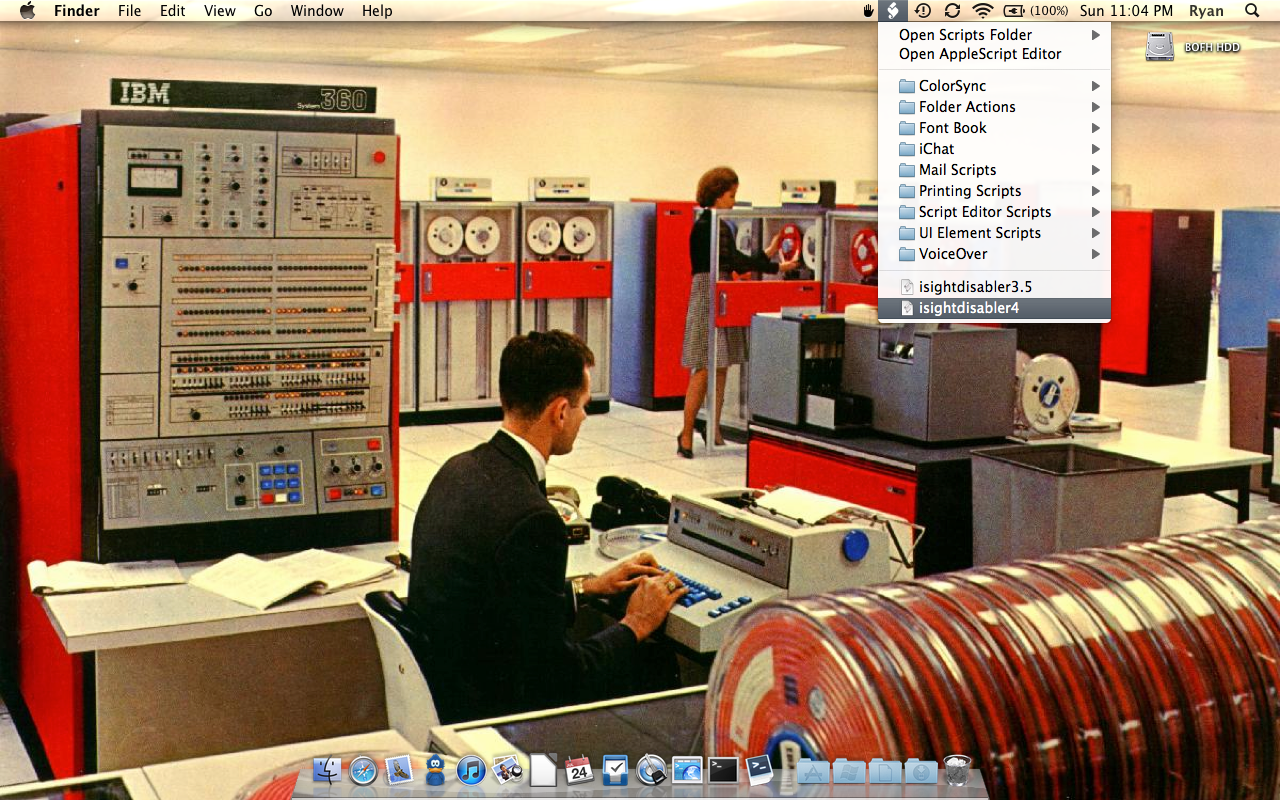
Where can I get that wallpaper? :D
You can get that wallpaper… in the 1960s, of course!
Search for “IBM System 360” on google images, you’ll find something suitable.
It works! Thank you for supporting Lion :))
I for the life of me can not get this to work. Any help would be great! I have downloaded the program and tried dropping it in the script files and tried to enable the camera and still nothing works. please help!
Please update this for lion.
It’s out now… :)
Version 4 has been released. Works on Lion. Haven’t tested with earlier versions of OS X but it should continue to work for all of them. Please report any problems/issues. I’ve only done limited testing.
It doesn’t work in Lion………..
As I don’t have a copy of Lion because it’s not released yet and I don’t have the developer builds, I’m not in a position to update the script for Lion at this time.
Excellent bit of info. Searched hi and lo before coming across this. Many thanks!
thanks tons! apple should be including this in their os, along with an option so that the computer doesn’t shut down when you close the lid of a macbook! great os otherwise.
Thanks NickTech (reply #30) for describing the fix to 3.5 for 10.5.8.
I modified the “os_version” check to include both 10.5.8 and 10.6+ and then created an AppleScript app to install on the iMacs at my local public library. PhotoBooth was encouraging un-library-like behavior by groups of younger patrons. The librarians can now turn the iSights on or off.
Here’s an updated AppleScript file & app:
http://www.joyofmacs.com/downloads/iSightDisabler351.zip
What is the best way to kill the Photo Booth application by using ARD? Or is that even possible? Would like to limit access to it without completely disabling the application. Tech coach in a school system.
I use the new logitech HD and it work fine n my Snow 10.6.6 no problem so far. I also use Logitech 9000 no problem. i use a dock . when i have my macbook pro out and open the app it connect to isight and when i dock it it and reopen the app it automatically finds my logitech. may be this help you guys..
what i need to know is when i am running an application using using isight or the logitech it fine but when i go to log in windows it shuts of the isight and gives me error msg. in windows you can use the camera while the other user log in to their account.. is there is any way i could make it not do it
I ran the disabler for Snow Leopard and now my webcam on my webcam site doesn’t work at all. But my internal camera still works on Skype. Any idea how I can undo the disabler??
There’s also a command line version of iSight Disabler!
http://codesnippets.joyent.com/posts/show/10225
Yep, but it’s not mine. Someone wrapped up the functionality in bash.
I’m using the SnowLeopard-compatible version, but it only works with PhotoBooth. When I launch Apple’s FaceTime the iSight camera works fine, although the driver is unloaded. To me this means that FaceTime (a) is either using its own driver for the camera or (b) is enabling an unloaded driver at launch and disabling it again upon quit. Is there a chance to update the iSight Disabler to address this issue?
Hi Mike,
Thanks for reporting! Indeed you’re correct, FaceTime still works after running iSight Disabler. I just investigated and it appears that FaceTime.app bundles it’s own VDC driver!
/Applications/FaceTime.app/Contents/Frameworks/CoreMediaIO.framework/Versions/A/Resources/VDC.plugin/Contents/MacOS/VDC
I could certainly add that to the list of drivers to disable… and ignore it if FaceTime.app isn’t installed. You may just have motivated me to clean up the AppleScript and release a new version.
This worked like a charm. Now the students can get back to work!!!!!
THANKS
I am new to scripts and really like this one. I use it in my computer lab via Apple Remote Desktop to enable or disable isight as needed and it works great. Is there a way I can send remotely via ARD passing the admin username and password so I am not prompted for it on all 26 computers in my lab?? I would like to do this as silently as possible
Thanks
To disable the iSight in later versions of Leopard you also need to chmod on
/System/Library/PrivateFrameworks/CoreMediaIOServices.framework/Versions/A/Resources/VDC.plugin/Contents/MacOS/VDC
Just as the script does for Snow Leopard. So basically if you eliminate the differences in the script between 10.5 and 10.6 it will work with both.
does anybody have a copy of the quicktimevusbdcdigitizer.component file that comes with the tiger install cd? or even the .pkg file that contains it? I do not have my install disc with me but urgently need the file, as I deleted it before to disable isight. Thanks for any help in advance..
The meeting tools that I use regularly always activate the iSight and it was off after using the script. However, I noticed that the iSight became active again but I did not enable the iSight.
Is there any condition that the script is being undone and the iSight was enabled?
I’m not aware of any condition in which external software might “re-enable” the iSight drivers.
What version of OS X and the iSight Disabler script are you using?
MacBook running 10.5.8 — I run the script — I tried versions 3.5 and 3.0 — and it claims success, but the camera still works.
Apple musta changed sumepin’
Quick question: When you use the script to disable the iSight, do you quit the apps using the iSight? If you open, say, Photo Booth then run the script while Photo Booth is running, Photo Booth won’t immediately cease access to the iSight. You have to quit Photo Booth and other applications using the iSight. Only then on the next launch of the applications will they fail to open the driver(s) due to permissions change on the driver file(s).
I no longer have a 10.5.x system to test with but I can confirm 3.5 works on a 10.6.x system with all the latest patches.
Changing permissions on the drivers doesn’t seem to work anymore. We had to delete them to disable the cameras.
By “anymore” do you mean after a specific update? I just tested version 3.5 vs. against a fully patched 10.6.4 system and the camera is properly disabled.
Works great!
working at a school – several laptops – on snow leopard and tiger – no problem..
BUT
leopard – the script runs, but camera is still on..cannot understand why?
For those looking for a way to also switch off audio input, don’t bother with the Sound PrefPane, but go directly to Audio-MIDI-Setup and check all the mute buttons for the integrated microphone input.
Thanks for that, you saved my day. Thought the mic was broke.
I wish i understood this stuff better, but since i don’t, i’m grateful you were willing to come up with an on/off switch. Works like a charm! Thanks!
please, i actually need somewhat the opposite, my isight stopped working all of a sudden, some days back, after i noticed a sudden report, when i tried connecting my iPhone to the USB, saying the device was drawing too much power from my notebook, thus some or more USB ports have been shut down/disabled. only to discover my iSight was the main victim of this.. Please how can i get it back. will be really nice if someone could be of help, i jst got the air 3 days ago, and now this. :(
Anyone here? I really need help.
Have you tried checking the skype forums? Sorry, I don’t have any particular knowledge that can help you with this but if you ask on the skype forums, maybe someone there can help you.
Hello. I am grateful for this script created but I have encountered a problem. Everything ran great until one day my camera didn’t work on Msn/Yahoo…. Skype, etc.
I opened Photobooth to make sure the camera wasn’t … broken? Well, it worked in photobooth, so this isn’t worrying me too much… i would just like my camera back!
Can anyone help? I have tried downloaing a new Script and running it… pressing enable… and still doesn’t work
Thanks in advance, Nusret.
@craig @rthomson
I have also disabled only my mic, in the sound settings, the ‘internal microphone’ doesnt take any input. Regardless of iSight being enabled or disabled, the mic status is the same.
I also can’t remember how I did it, script, or file rename/delete or some setting change. I checked the Terminal commands by using the up arrow key but couldn’t find anything that indicates audio input settings.
Please help!
What I actually mean is to disable either one of two available iSights when a Macbook is attacted to an external display (which has an iSight also)
Is there any chance that you can disable, say, only display/external iSight, but leave enabled bult-in one or viceversa? Thanks.
By external iSight do you mean the Firewire iSight that Apple used to make? If so, that can be disabled separately from the built-in USB iSight but the iSight Disabler script doesn’t currently support doing so.
Does the new version 3.5 account for the changes with the update to Quicktime? Apparently the Quicktime update disables the disabler.
I’m running 10.6.3 with all the latest updates and QuickTime Version 10.0 (113). Version 3.5 successfully prevents Photo Booth from accessing the iSight, so yeah, 3.5 should work.
I am trying to use this software in conjunction with a Proscope HR microscope that is usb based and I noticed that the Proscope software will still not see my microscope even though the I-Sight camera has been turned off. Any thoughts on being able to toggle through the USB ports to allow a plugged in device to be used.
Thanks!
Yeah your absolutely right , when click on I disable they both don’t work. The Dynex cam was refered by someone in the apple forums. They said that was one of the very few external cams that work on macs. So I went out and bought one. There has to be a way to disable only the iSight. I mean on p.c.’s that have built in webcams you can disable and use external ones, why not with a mac. Like I said I been racking my brains for a long time now trying to figure it out. It’s very frustrating.
Hi,, I also want to disable the iSight and use an external webcam. I’ve been racking my brains for months trying to figure out how. I’ve finally found a web cam that works on macbooks, its Dynex brand. But after pluging it in,, it only works on iChat where you can switch from iSight to the Dynex back and forth, which is not what I needed it for. I want to be able to use the Dynex web cam in random chatrooms and it won’t do that. I tried to install this iSight disabler and followed the steps to click on disable iSight when the popup came on but the Dynex cam still doesn’t work.. Any helpful would be appreciated. thanks.
Hi,
Unfortunately I don’t know anything about your Dynex webcam. Chances are it uses the same generic USB video driver as the internal iSight so when you disable the iSight, you’re disabling the Dynex as well.
Simple and effective.
Thank you.
Hi,
I’ve used iSight disabler in the past and it works great. At some point in the past I also managed to get the internal mic disabled. I assume I used the command line or maybe I destroyed the appropriate kext file but I can’t remember how I did it (and I haven’t found anything Googling yet either).
Any chance you’ve got an “internalMIC Disabler” script that I can use to get the mic working again without reinstalling the OS?
Thanks!
Someone asked me about this before… If I had it, I’d post it!
I looked into it for a while and it seemed to me that the audio driver was responsible for both input and output so disabling it would not only disable the mic but also the audio output (speakers, line-out) so I’m actually quite interested in how you disabled just the mic, if you can remember!